
Skip to content

DECISION ROOM

Bring every hiring decision into one room.

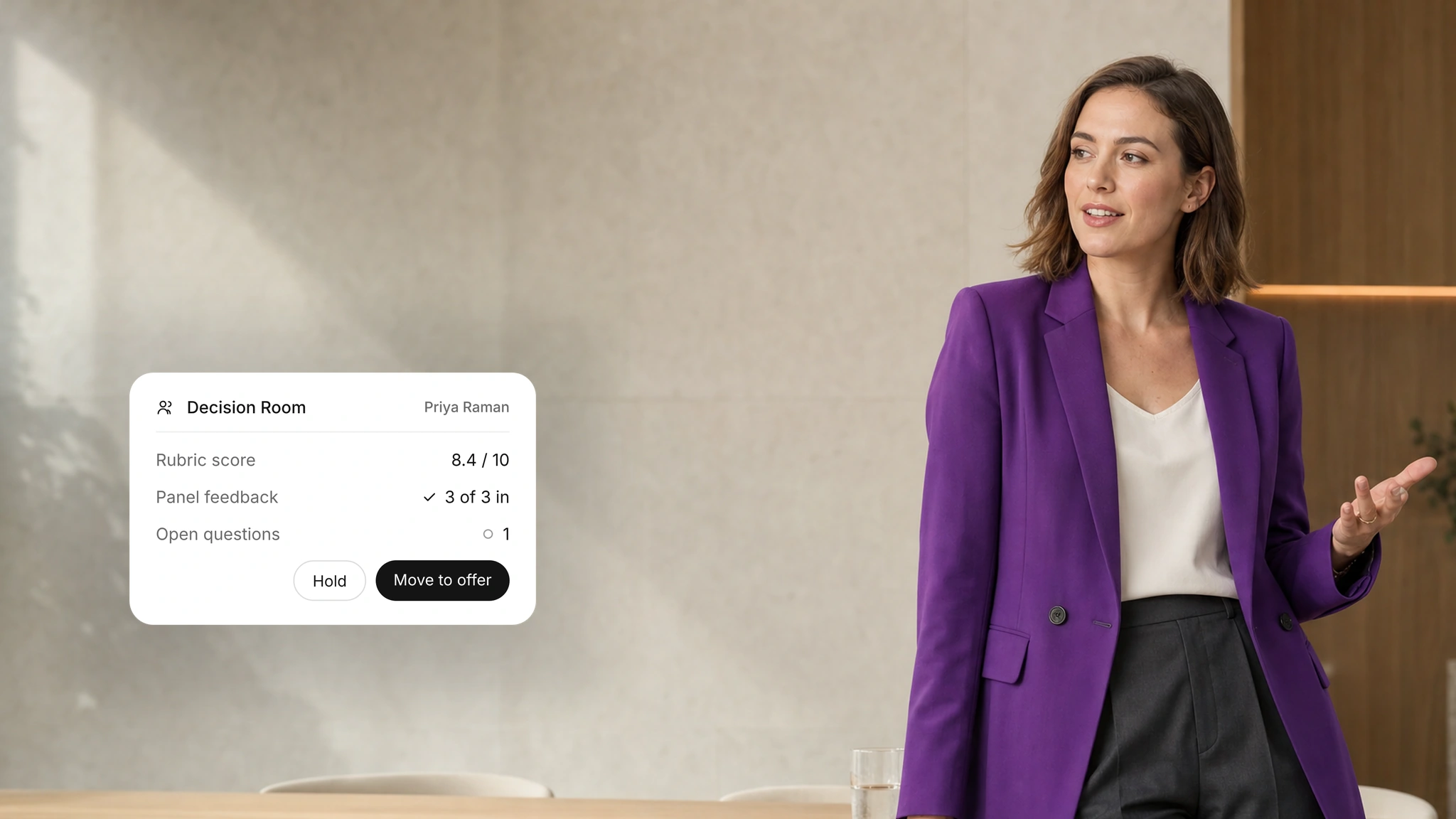
Enterprise hiring teams can bring role criteria, scores, interview notes and open questions into one review. Authorized reviewers compare the evidence and record who makes the decision.
WHY IT MATTERS

Decisions your team can stand behind
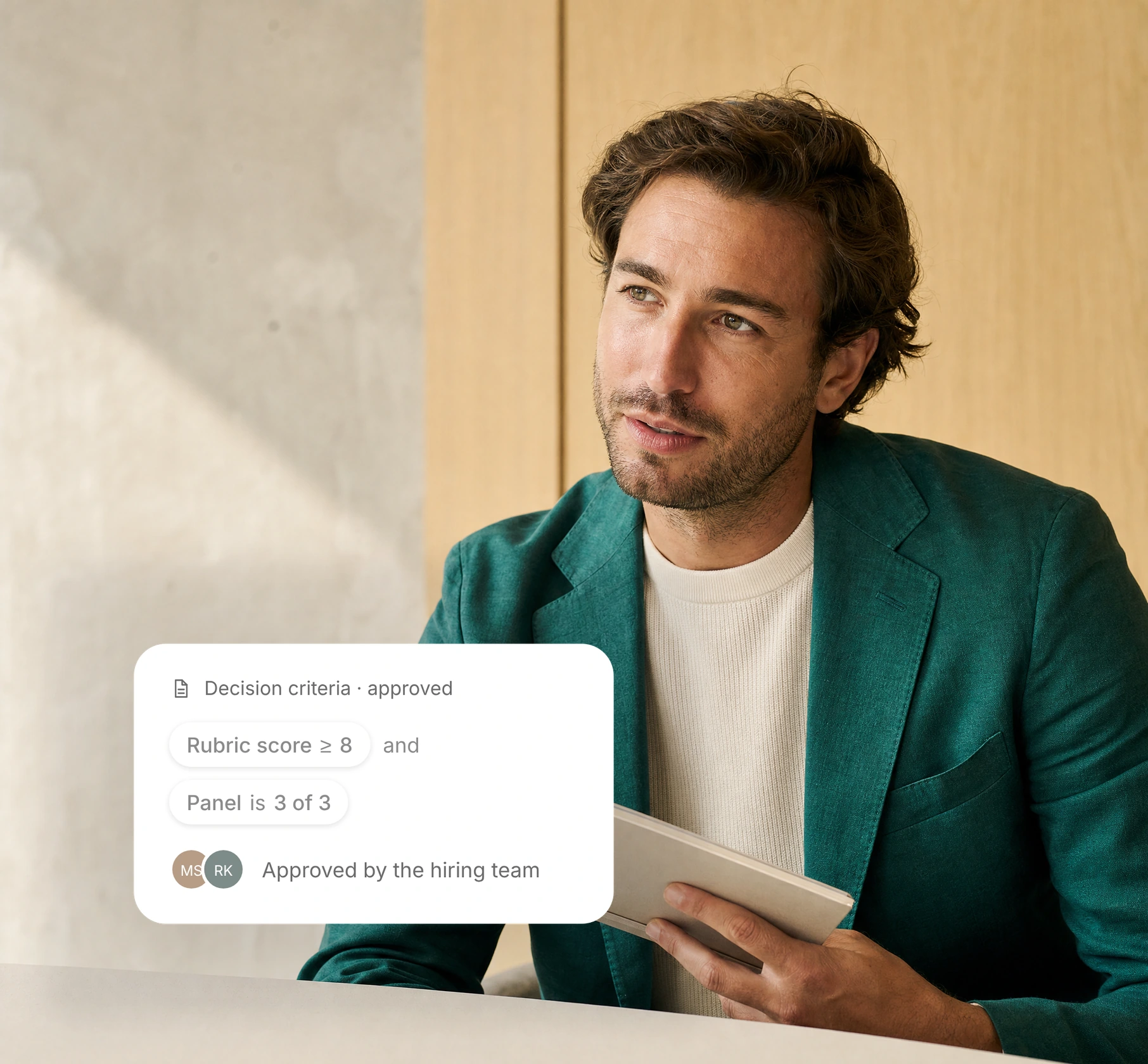
Criteria you approve

Every candidate decision is evaluated against the role requirements and scoring rubric agreed upon by your team.

Interview Reports

01

One shared view

Panel feedback, scores and notes appear together for every reviewer.

02

Open questions first

Unresolved questions are surfaced before anyone decides.

03

Human decisions

Your reviewers make the call. Decision Room supports the decision; it never makes it.

The AI employees behind Decision Room.
Panel Analyst AI employee

Panel Analyst

Assembles the evidence for the panel decision.

Hiring workflow

View role
Offer Manager AI employee

Offer Manager

Create, route, and track candidate offers through every stage of approval.

Hiring workflow

View role
Report Analyst AI employee

Report Analyst

Answers questions about a candidate report with citations.

Insight and governance

View role

HOW IT WORKS

From panel feedback to a final decision

01

Gather feedback

Panel Analyst brings interviewer feedback, evaluation scores, and notes together in one centralized view.

02

Discuss open questions

Reviewers compare feedback, identify gaps, and resolve disagreements collaboratively in one place.

03

Decide and hand off

Your team documents the final hiring decision and seamlessly transitions the selected candidate to offer management.

HUMAN CONTROL

AI prepares. Your reviewers decide.

01

Set the reviewers

Your team decides who can view and decide for each role.

02

Resolve open questions

Reviewers settle gaps and disagreements before deciding.

03

Keep the history

Each decision stays in the candidate's history for later review.

Continue the hiring workflow

01Connect your systems

Interview Reports

Access detailed interview insights, scores, and candidate performance summaries.

Offer Management

Manage, review, and track candidate offers through every stage.

Hiring Analytics

Track hiring performance with actionable insights and key metrics.

FAQ

Decision Room questions

What to know about setup, rollout and who makes the decisions.
What is Decision Room?
One place where reviewers see role criteria, scores, interview notes and open questions before deciding.
Does Smaya select the final candidate?
No. Your authorised reviewers make every hiring decision.
Which AI employees support Decision Room?
Panel Analyst prepares the panel view, Report Analyst summarises interviews, and Offer Manager takes the next step after approval.
What if reviewers disagree?
Return to the role criteria and the interview notes. Gather more information when a key question is still open.
What do we need to get started?
Named reviewers, approved role criteria and your decision steps.
Is a score enough to decide?
No. Reviewers look at the notes behind every score and any open questions before acting.
How should we define evaluation criteria?
Agree on the role requirements and how candidates will be scored before you start. Your team approves the criteria and makes every hiring decision.
What should we discuss before rollout?
Walk through scope, users, integrations, data handling and success measures with our team before you agree a rollout plan.
How should candidate information be reviewed?
Review the scores and interview notes against your hiring policies. A recruiter checks gaps and open questions before deciding the next step.
Where can we review security information?
Start with the Trust Center, then walk through your security review with our team.
How are uncertain results handled?
Treat missing or unclear information as a question to investigate. Ask the candidate for clarification through the appropriate hiring step.
What should our team confirm about data handling?
Agree on access, retention and deletion rules with our team before you share candidate data or connect your systems.