
Give your AI assistant secure access to your hiring data with role-based permissions, controlled actions, and a complete audit trail.
Pick the client you use and copy its prompt. Coding agents add Exterview on their own. The Claude and ChatGPT apps walk you through adding it in their settings.





Claude can't add connectors on its own, so it walks you through adding Exterview as a custom connector in its settings.
Help me connect Exterview (exterview.ai, our hiring platform) to Claude. You can't add connectors yourself, so walk me through it step by step: open Settings > Connectors > Add custom connector, paste https://mcp.exterview.ai/mcp, click Add, then Connect, and approve the Exterview sign-in. Once connected, list my open requisitions so I can confirm it's working.
Claude Code adds the server itself. Paste this and it runs the command for you.
Add the Exterview MCP server to this project: run claude mcp add --transport http exterview https://mcp.exterview.ai/mcp, then complete the Exterview sign-in in the browser when prompted. Once connected, list my open requisitions and tell me which Exterview workspace you're in.
The ChatGPT app can't add connectors on its own, so it walks you through adding Exterview in its settings.
Help me connect Exterview (exterview.ai, our hiring platform) to ChatGPT. Walk me through it step by step: open Settings > Connectors > Add custom connector, paste https://mcp.exterview.ai/mcp, add it, then approve the Exterview sign-in. Once connected, list my open requisitions so I can confirm it's working.
Codex writes the server into your config once you paste this.
Add the Exterview MCP server to Codex: register https://mcp.exterview.ai/mcp as a streamable HTTP MCP server in my Codex config, restart, then complete the Exterview sign-in. Once connected, list my open requisitions and tell me which workspace you're in.
Install the Exterview app in Slack, then point it at the MCP server so it can act on your behalf.
Connect Exterview to Slack. Add the Exterview MCP server at https://mcp.exterview.ai/mcp as a remote MCP server, complete the Exterview sign-in, then post my open requisitions into this channel so I can confirm it's working.
Copilot adds the server to your workspace config and starts it.
Add the Exterview MCP server to Copilot: create an MCP server entry pointing at https://mcp.exterview.ai/mcp in my workspace config, start it, then complete the Exterview sign-in. Once connected, list my open requisitions so I can confirm it's working.
Any MCP client works. Point it at the endpoint and approve the Exterview sign-in.
I want to connect Exterview to this client. The MCP server is at https://mcp.exterview.ai/mcp and authenticates with OAuth. Add it as a remote HTTP MCP server, complete the Exterview sign-in, then list my open requisitions so I can confirm it's working.
The same MCP connection covers every stage, so an agent never has to hand the work back to a different tool.
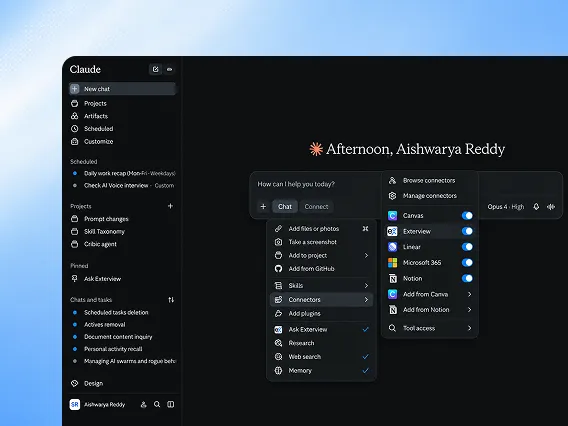
Add the Exterview MCP server in Claude and sign in with your existing account. Claude can then read requisitions, search the pipeline, and draft scorecards without leaving the conversation.
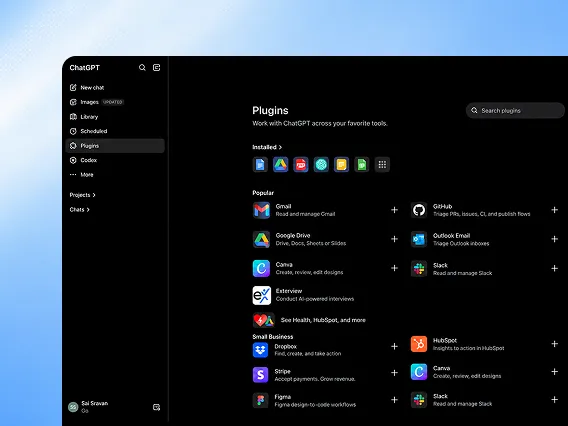
Connect the same endpoint in ChatGPT. Ask for a shortlist, a resume screen, or an interview summary and the answer comes back from live Exterview records rather than a stale export.
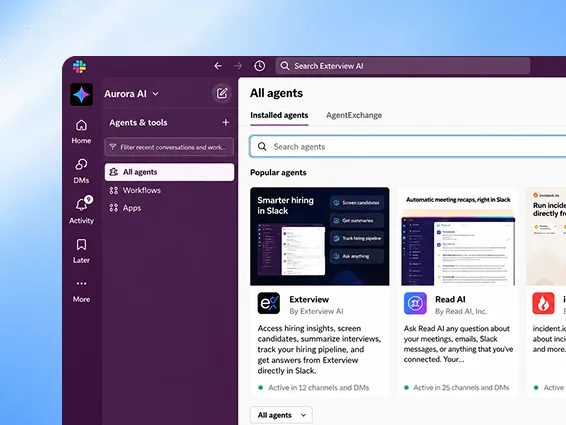
Tag Exterview in a Slack channel and ask for a shortlist, a screen, or a candidate's status. The answer comes back in the thread, where the whole hiring panel can see the same evidence.
Copilot uses the same server, so recruiters working in Microsoft 365 can check pipeline status, request a screen, and review evidence from where they already are.
Three module groups that let any MCP client read, act, and prove without moving a single record out of Exterview.
.webp)
Requisitions, candidate pipelines, resumes, interview evidence, assessment results, and identity status are all exposed as MCP tools. Your agent retrieves exactly what it needs, scoped to the roles it has been granted.
Nothing is copied into a model's memory or handed to a third party. Every read runs against live Exterview records.
.webp)
Beyond reading, your agent can screen resumes, launch voice screens, run AI interviews, schedule panels, move candidates between stages, and prepare offers. The same actions a recruiter performs in the platform.
Anything that reaches a candidate sits behind an approval gate, so a named person signs off before it goes out.
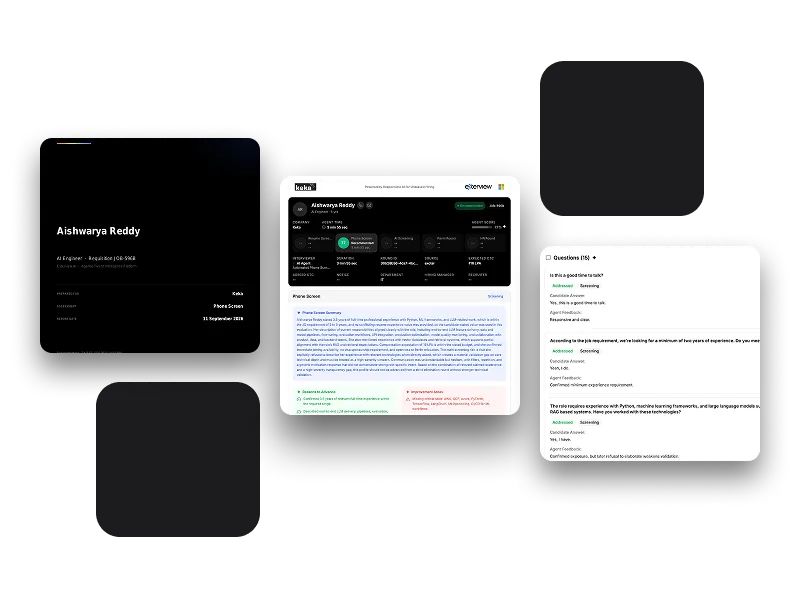
Each tool call, retrieval, and write is written to the candidate's qualification record, along with which agent acted and which person authorised it.
Export the record as PDF or JSON whenever legal, audit, or a regulator asks how a decision was reached.
Every MCP call respects user roles, logs reads, and requires approval for configured writes.

.webp)
.webp)
Works with Claude, ChatGPT, Cursor, Copilot, Codex, and any MCP-compatible client via your Exterview MCP endpoint.
Accesses what your role allows, including candidates, evaluations, and hiring workflows, with human approval for sensitive actions.
Only what the signed-in user is already entitled to see. Field-level redaction, tenant isolation, and data-residency rules apply to MCP exactly as they do in the product interface.
Yes. Every MCP call is logged with the user, tool, data, and changes in the candidate’s qualification record.
